
Lab Orders
Keep track of crowns, bridges, dentures and implant work at the dental lab, see what's overdue, and never book a fitting before the work is back.
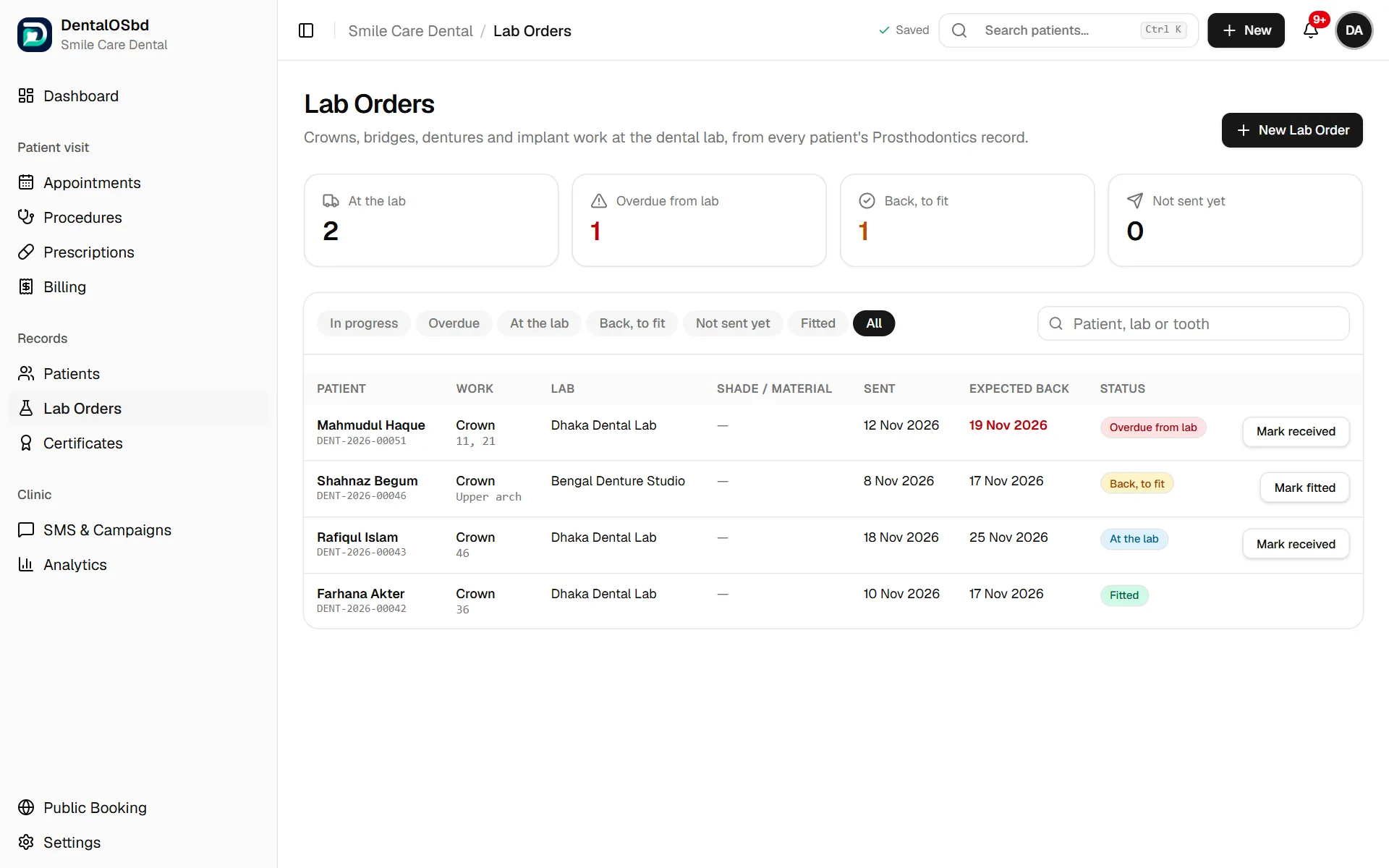
Lab Orders shows every crown, bridge, veneer, denture and implant prosthesis in the clinic, and where each one is: not yet sent, at the lab, overdue from the lab, back and waiting to be fitted, or fitted. It's built from the Prosthodontics tab of each patient's file, so a change in one place shows in the other.
Lab Orders needs the Prosthodontics section switched on in Settings → Clinical Modules.
The four counts at the top
- At the lab: work sent and not yet back
- Overdue from lab: work that's past the date the lab promised
- Back, to fit: work that has arrived and needs a fitting appointment
- Not sent yet: work planned or in preparation
Click a count to show just those cases.
Send work to the lab
- Click New Lab Order.
- Find the Patient by name, phone or ID.
- Choose the Work (crown, bridge, denture and so on) and enter the Teeth, Material and Shade.
- Enter the Lab. Labs you've used before are suggested as you type.
- Set the date it was Sent on, and the date the lab promised it back (Expected back).
- Add any Instructions for the lab.
- Click Add lab order.
The order is added to the patient's Prosthodontics record at the Sent to lab stage.
Move a case along
Each row has one button for the next step:
- Mark sent: the work has gone to the lab
- Mark received: it's back from the lab
- Mark fitted: it's been fitted or cemented
The date of each step is noted on the patient's chart. For other stages (try-in, bite registration, review), use the Prosthodontics tab of the patient's file. Click the patient's name to open it.
Find a case
Use the tabs (In progress, Overdue, At the lab, Back, to fit, Not sent yet, Fitted, All), or search by patient, lab or tooth.
Tip: Check Overdue every morning and call the lab before the patient arrives. Book a fitting only once a case shows Back, to fit.
Still stuck?
Tell us what you were trying to do and what happened. A screenshot helps.