
Patients
Register patients, find them by name, phone or ID, keep allergies and medical history up to date, and use the patient's file with the timeline, tooth chart, perio chart, orthodontics and prosthodontics.
Every patient has one file that the whole clinic shares. It holds their details and medical alerts, and a timeline of every visit, prescription, consent form, payment and planned treatment.
The patient list
The list shows each patient's ID, name, age and sex, phone, area, status, medical alerts, last visit and balance (money owed). Use the tabs to see All Patients, Active, In Treatment or Recall Due.
To find someone quickly from any screen, use Search patients at the top (or press Ctrl K) and type a name, phone number or patient ID.
Register a new patient
Most patients are registered while booking them (see Appointments). To register someone on their own:
- Click Register patient.
- Fill in First Name, Last Name and Mobile Phone Number (needed), and date of birth, gender, email and address if you have them.
- Under Medical alerts & contraindications, add the Blood Group and any Drug Allergies & Alerts, separated by commas (for example Penicillin, Aspirin). These alerts appear on every screen where they matter, and the prescription warns about them.
- Add an Emergency Contact if you have one.
- Click Complete Registration. The patient's ID is given automatically in your clinic's format.
Tip: Ask about allergies, diabetes, blood pressure, blood thinners and pregnancy at the first visit, every time.
Open a patient's file
Click View Profile in the list (or pick the patient in the search). At the top: name, ID, status, date of birth, blood group, phone and any balance due. From here you can Edit Profile Details or Book Visit.
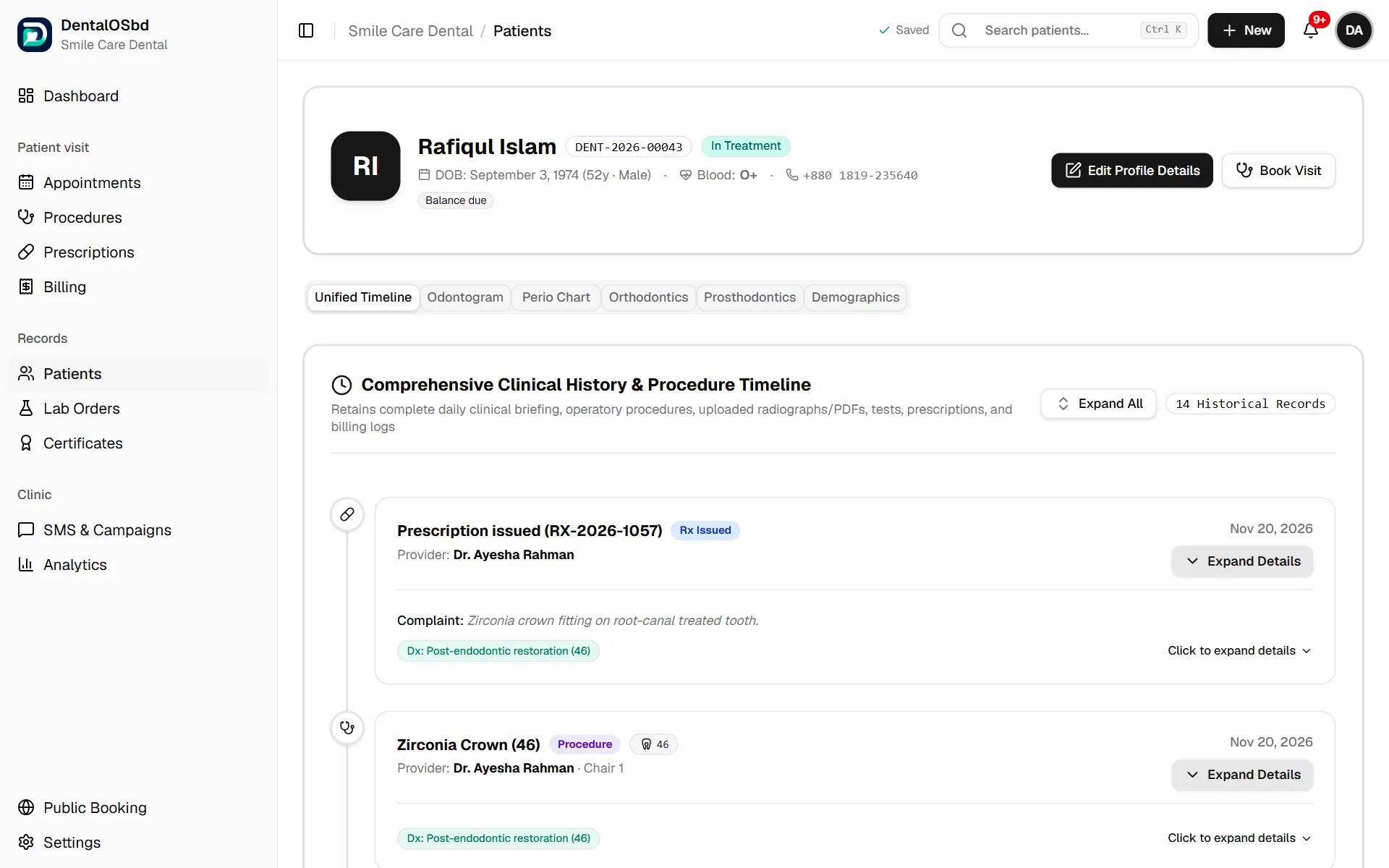
The file has these tabs:
Unified Timeline
Every visit, consultation, procedure, X-ray or report, prescription and payment, newest first. Click an entry to expand it. Expand All opens everything.
Odontogram
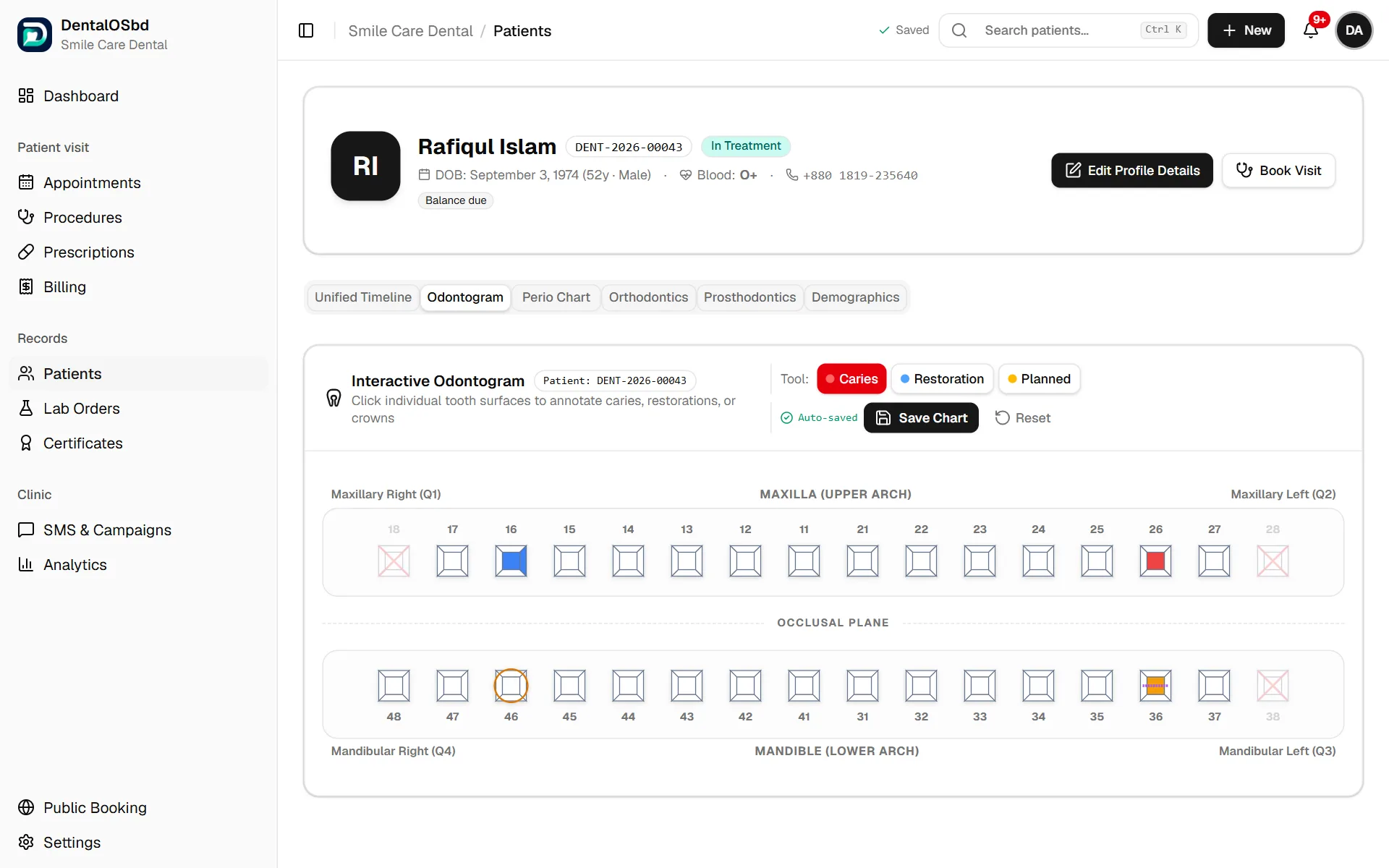
The 32-tooth chart (FDI numbering). Choose a tool (Caries, Restoration or Planned), then click the tooth surfaces to mark them. The chart saves automatically. Reset clears it.
Perio Chart
Six-point probing depths for every tooth, with bleeding on probing, mobility and furcation. The chart shows the bleeding score and how many pockets are 4 mm or deeper, to compare after treatment.
Orthodontics
The treatment status (Assessment, Plan agreed, Active treatment, Retention, Completed); the malocclusion assessment (molar and canine class, overjet, overbite, crowding, crossbite and habits); the treatment plan and appliance; and a log of adjustment visits.
Prosthodontics
Edentulous areas (Kennedy classification) and each crown, bridge, denture or implant, with its material, shade, lab and the date the lab promised to return it (Expected back). Click a stage to move the work along, from preparation through the lab to fitting; the date of each stage is noted. All of these also appear on Lab Orders.
Demographics
Personal and contact details, emergency contact, allergies and medical conditions, the account balance and the last visit. Edit Personal Details changes them.
The Odontogram, Perio Chart, Orthodontics and Prosthodontics tabs can be switched off in Settings → Clinical Modules if your clinic doesn't use them. Nothing recorded is lost.
Edit a patient
Click Edit Patient in the list, or Edit Profile Details on their file. Update allergies and medical conditions whenever the patient tells you something new.
Bring in a patient list
If you have patients in Excel or another program, bring them all in at once from Settings → Data. See Team & account.
Who can see what
The front desk sees patients' contact details, bookings and bills, but not clinical notes, charts or prescriptions. If Patient privacy between doctors is on, each doctor sees full clinical details only for their own patients. See Clinic settings.
Still stuck?
Tell us what you were trying to do and what happened. A screenshot helps.